Screen time,
finally under control
ScreenWell gives parents real enforcement — not just reminders — and helps everyone build healthier phone habits.
FEATURES
Everything ScreenWell does, explained
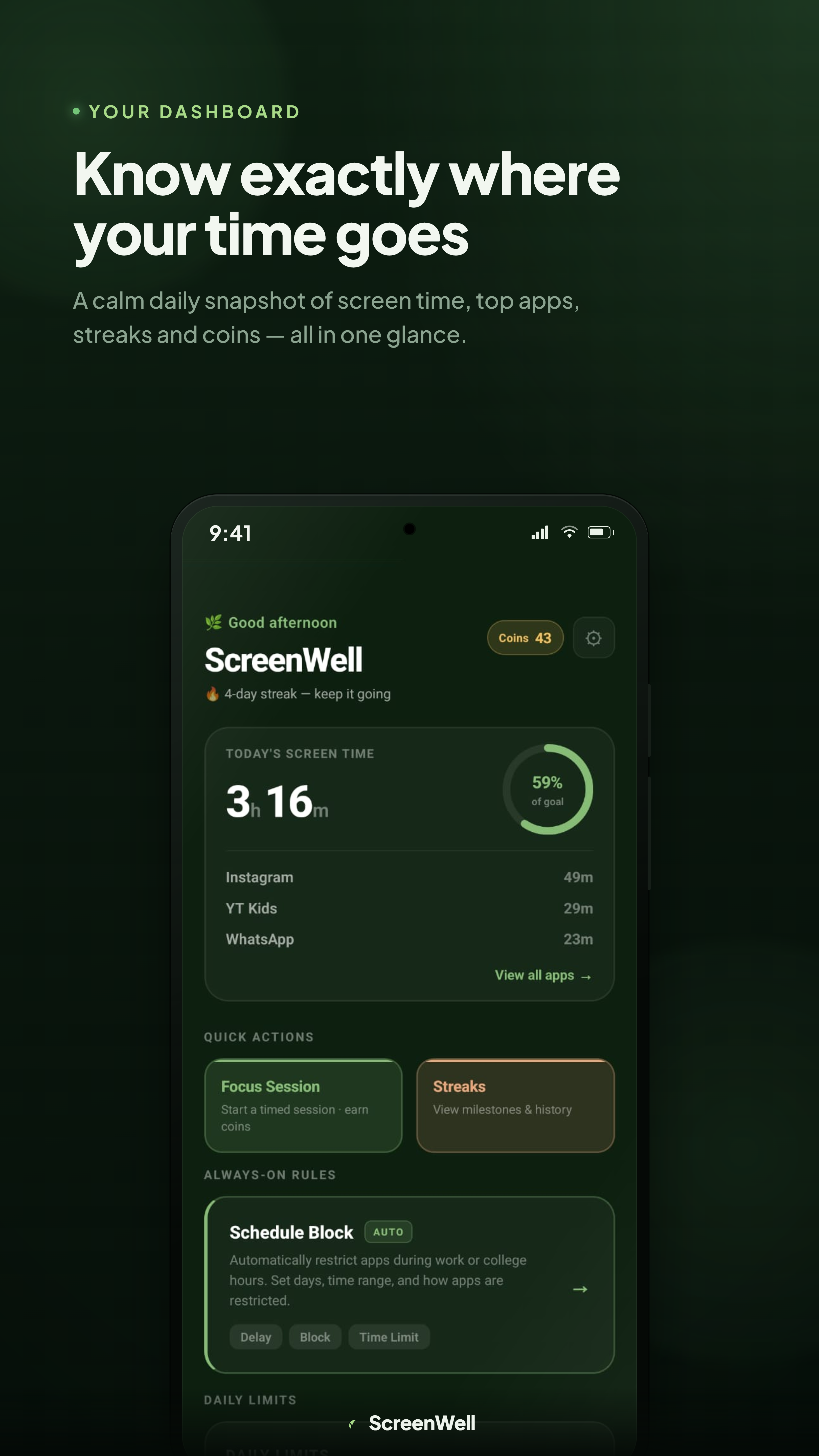
Know exactly where your time goes
Every time you open ScreenWell you see a calm daily summary — total screen time, your most-used apps, your current streak, and your coin balance. It's the one number that keeps you honest without overwhelming you.
- Daily screen time at a glance
- Top apps ranked by usage
- Streak and coin status in one view
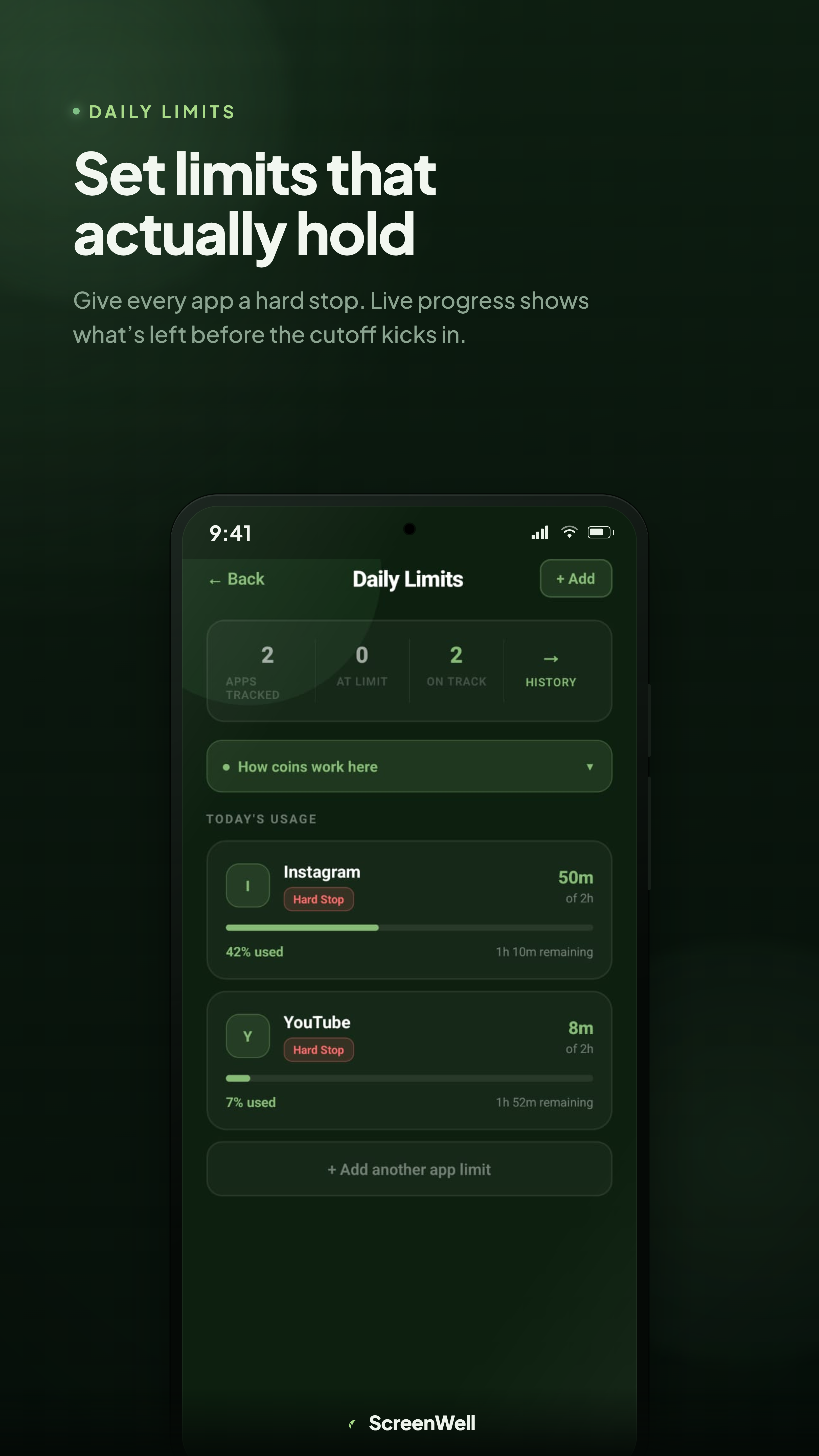
Set limits that actually hold
Assign a time budget to any app. A live progress bar counts down in real time, and when the budget hits zero, the app gets blocked for the rest of the day — no grace period, no easy override.
- Per-app time budgets
- Live countdown as you use the app
- Hard block when the budget runs out
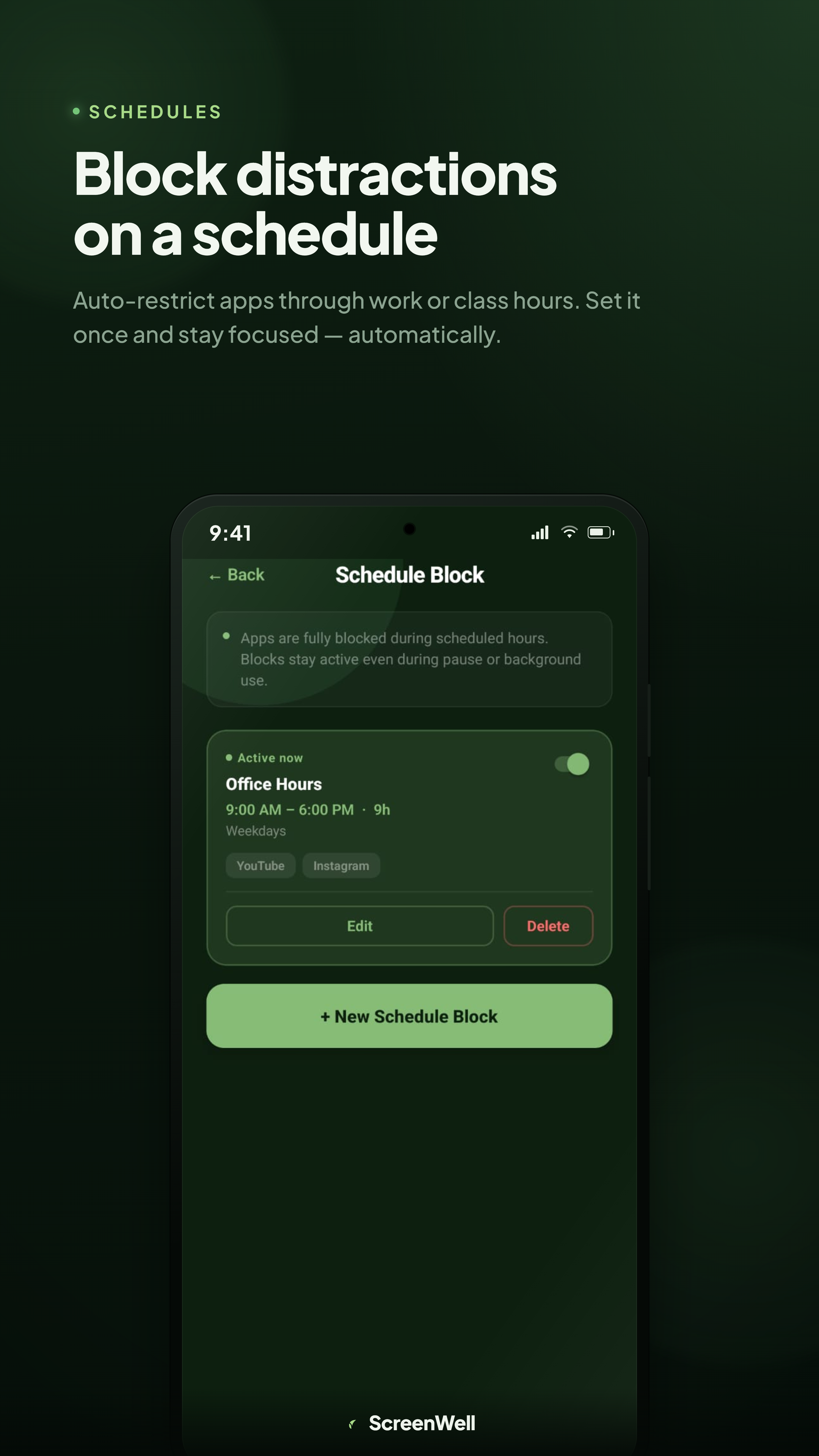
Block distractions on a schedule
Pick which apps to restrict and when — work hours, class time, bedtime, or a custom window. ScreenWell enforces the block automatically every day, so you don't have to remember to turn it on.
- Recurring daily or weekly schedules
- Choose which apps are restricted
- Automatic — no manual toggling
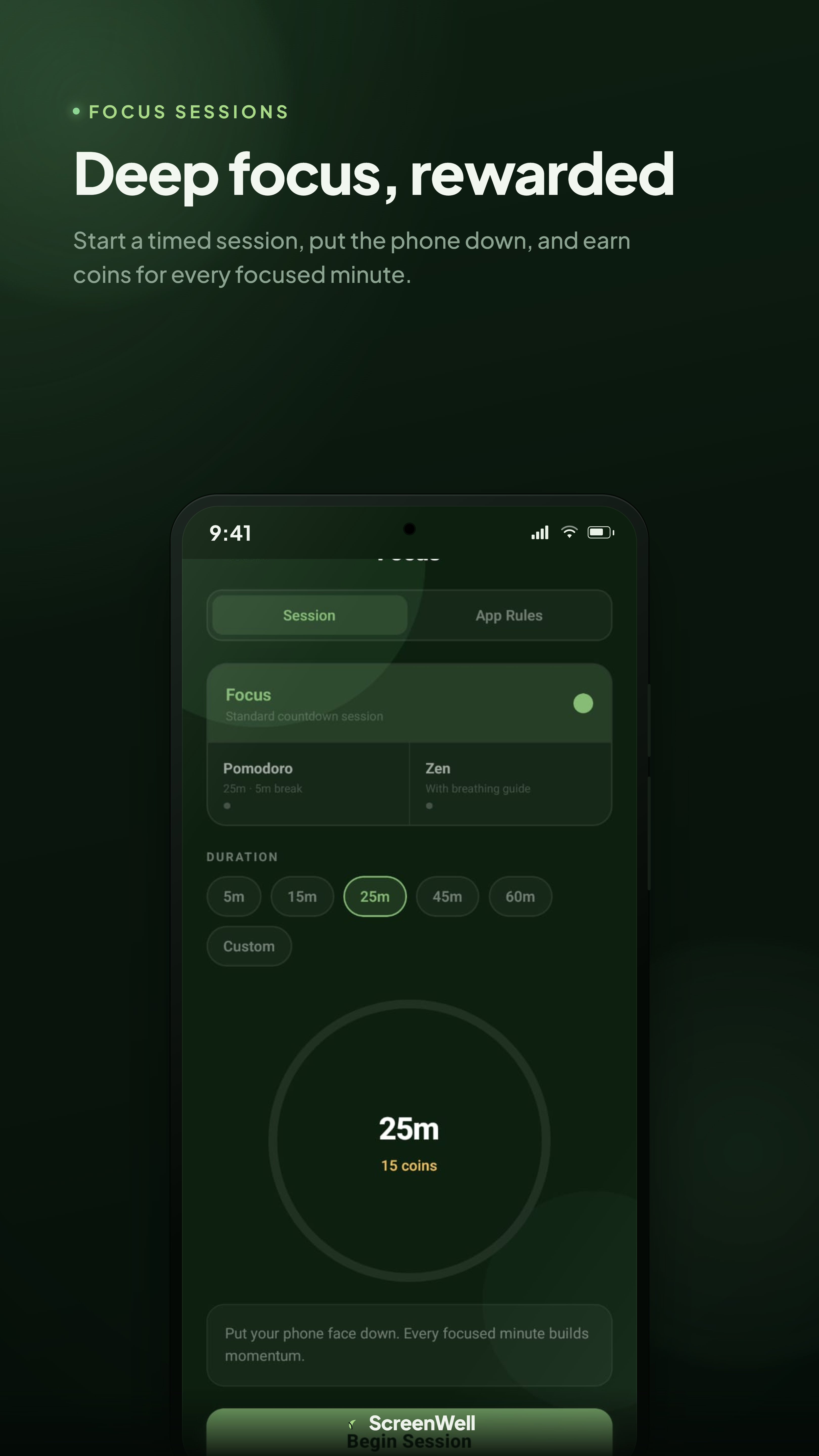
Deep focus, rewarded
Start a timed session, set your phone aside, and earn coins for every minute you stay focused. The longer you go without breaking, the more you earn. It turns self-discipline into something you look forward to.
- Set your own session length
- Earn coins for completing sessions
- Break the session early and lose the reward
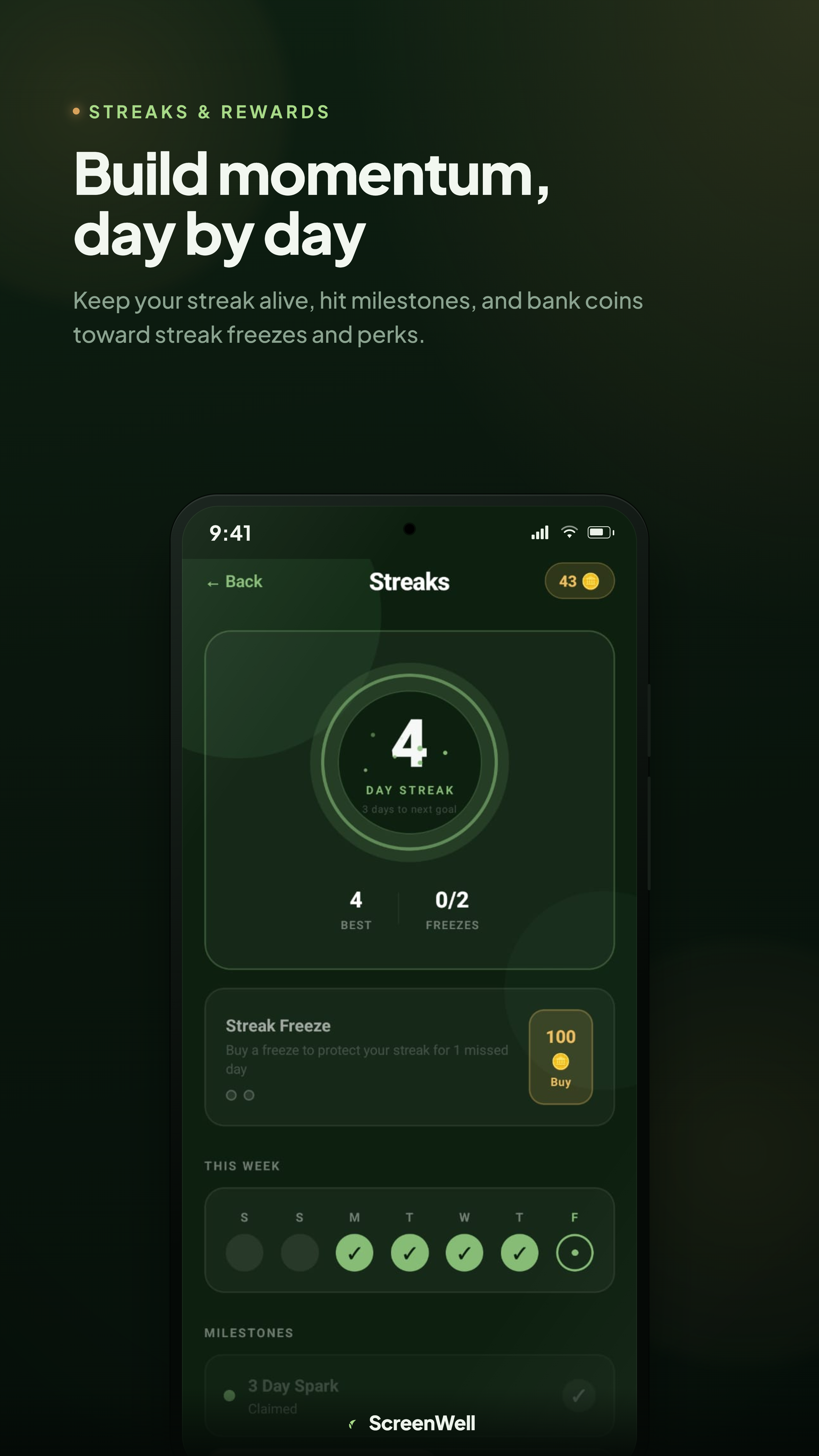
Build momentum, day by day
Hit your daily screen time goal and your streak grows. Miss a day and it resets — unless you spend a Streak Freeze you earned earlier. The coins and milestones give you a real reason to stay consistent.
- Daily streak tracking
- Earn coins toward streak freezes and perks
- Milestone badges as you hit new records
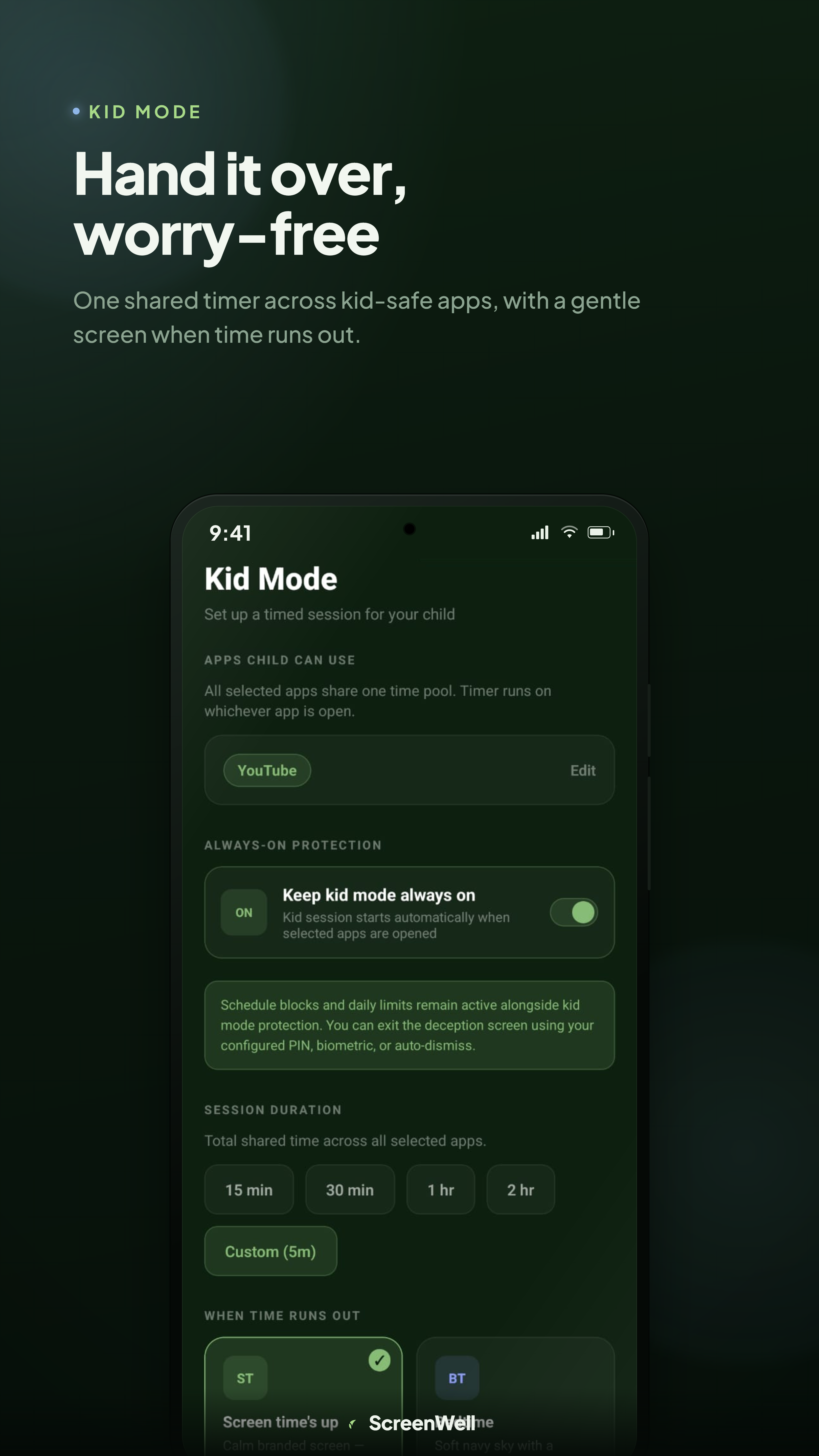
Hand it over, worry-free
Create a shared time pool that counts down across all kid-safe apps you select. When the pool empties, a full-screen block appears. There's no notification to dismiss, no back button that works — just a calm screen that says time is up.
- Shared timer across multiple apps
- Full-screen block when time runs out
- Deception screen so kids can't easily bypass it
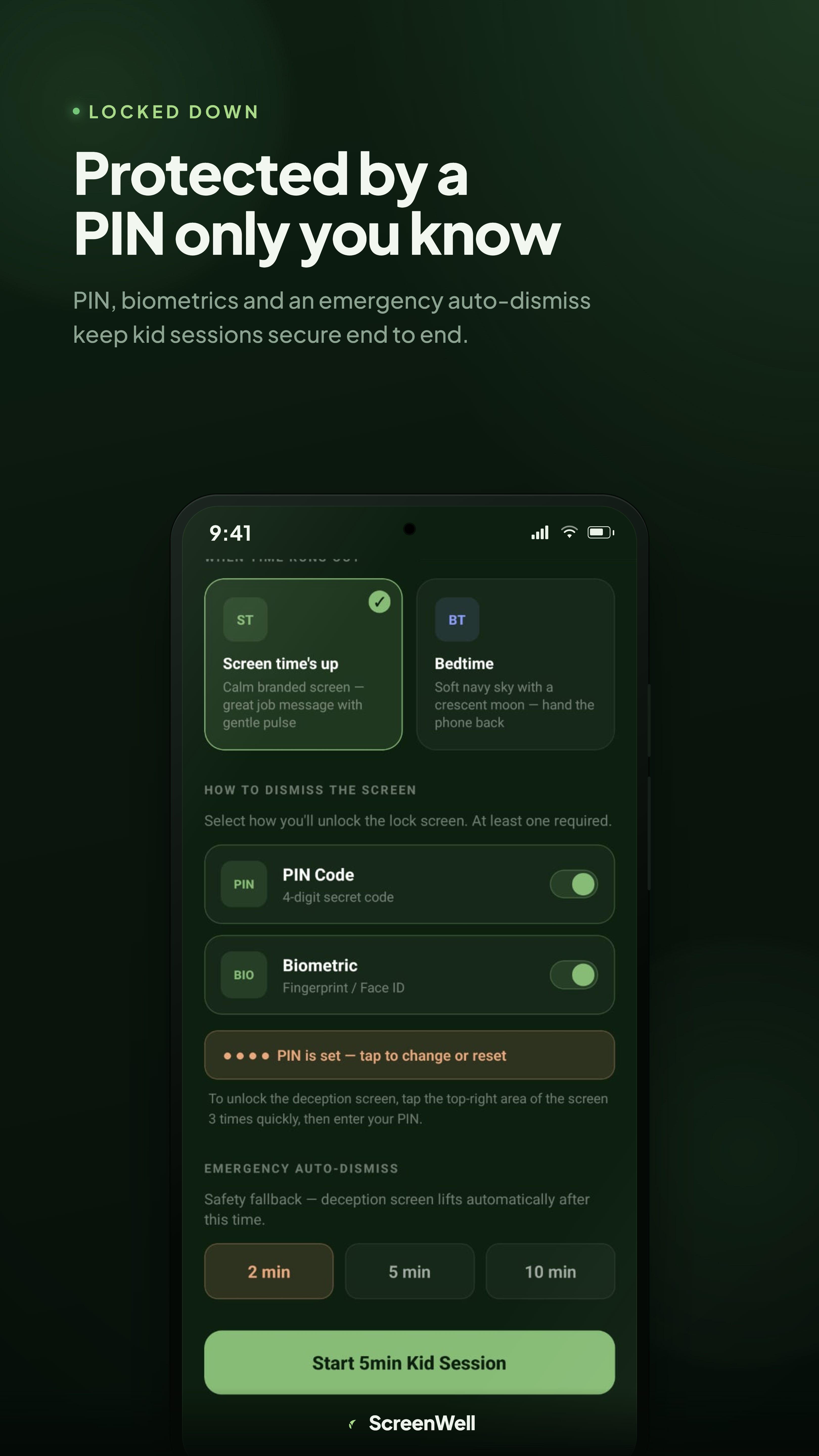
Protected by a PIN only you know
The block screen can only be dismissed with your parent PIN or biometric. You can also set an auto-dismiss timer as a safety fallback — so if a child force-restarts the phone, the screen clears itself after a set number of minutes rather than staying locked indefinitely.
- PIN or biometric required to unlock
- Optional auto-dismiss timer for safety
- Settings are PIN-protected too
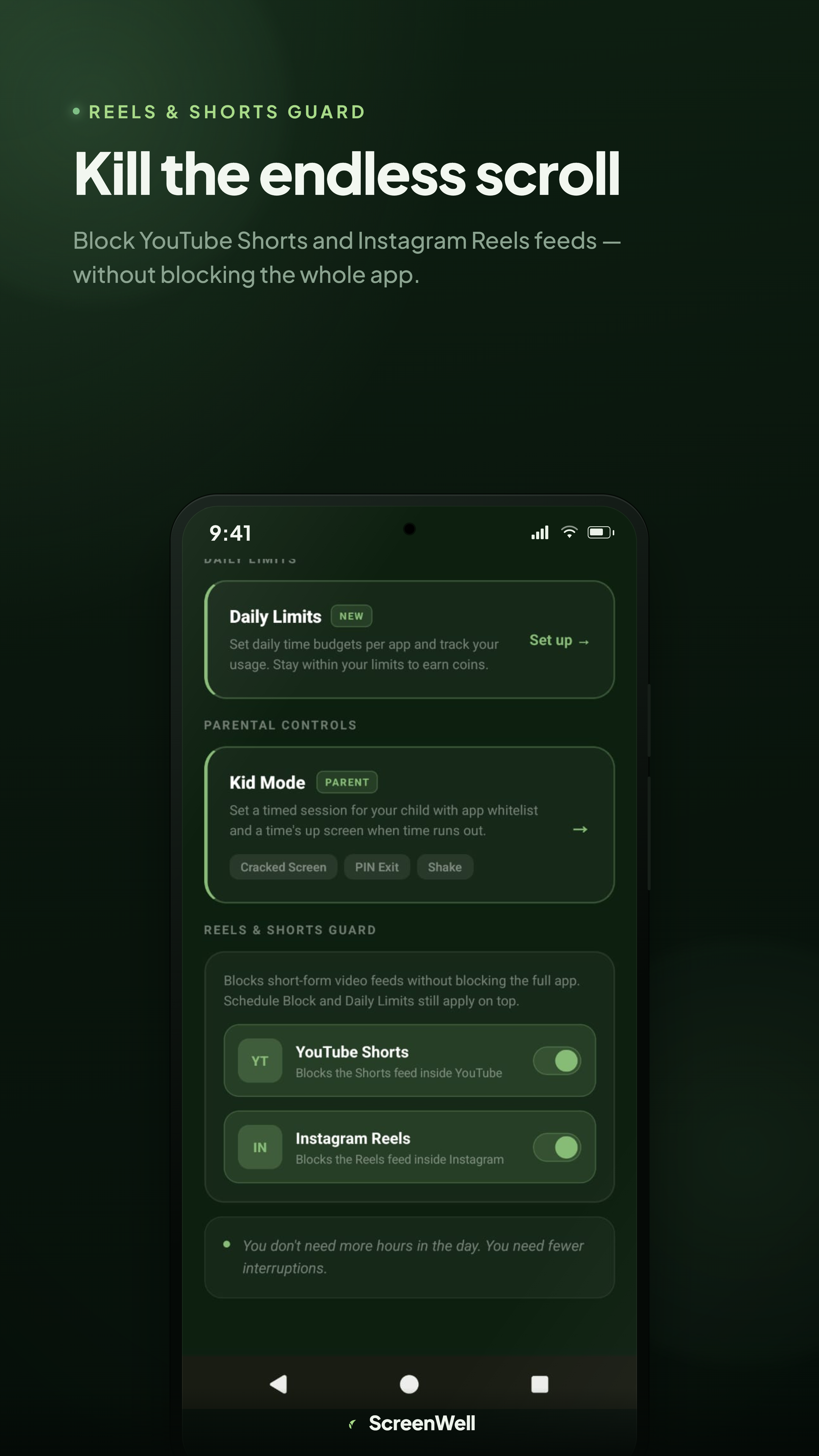
Kill the endless scroll
When someone opens YouTube Shorts or Instagram Reels, ScreenWell automatically redirects them to the Home feed instead. The rest of the app works normally — you can still watch YouTube videos or browse Instagram posts. Only the infinite scroll feed is cut off.
- Blocks YouTube Shorts feed
- Blocks Instagram Reels feed
- Rest of each app still works normally
Trusted by parents who need more than Screen Time reminders.
Kid Mode actually works. My son used to find every workaround — not anymore. The deception screen is brilliant, he genuinely thinks the phone is broken.
I set Focus Sessions for work hours and the Reels blocker for evenings. Down from 5 hours a day to under 2. The streaks keep me honest.
Finally an app that enforces limits instead of just showing me charts. The coin rewards got my daughter to actually respect the timer without a fight.
GET STARTED
Ready to take back
your screen time?
Download free on Android. No account required for core features.